Make and Model of Oven Used in This Video
Hotpoint DU2540WH (61022940000)
Hotpoint DU2540WH (769991022942)
Part Used in This Video
Indesit Oven Neon Light Lamp Lens Clear Cover
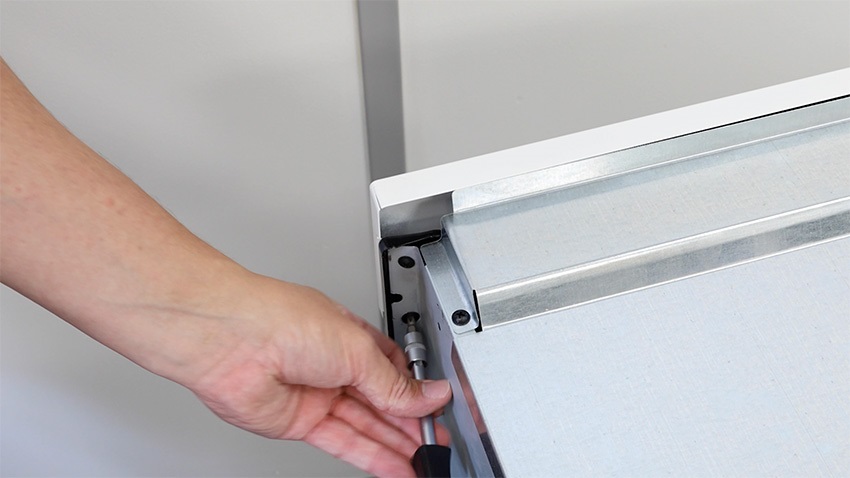
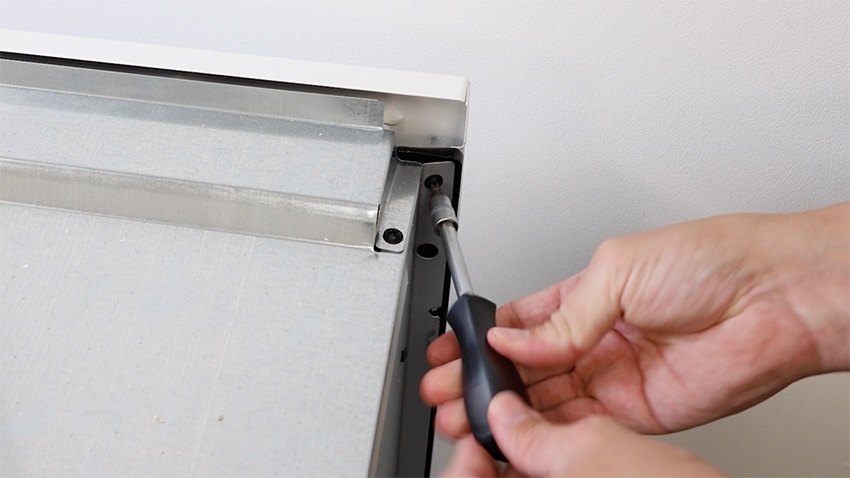
1. Remove screws to access behind the front oven panel
There are two screws on either side which hold the front panel in place. Remove all of these and place them to one side.
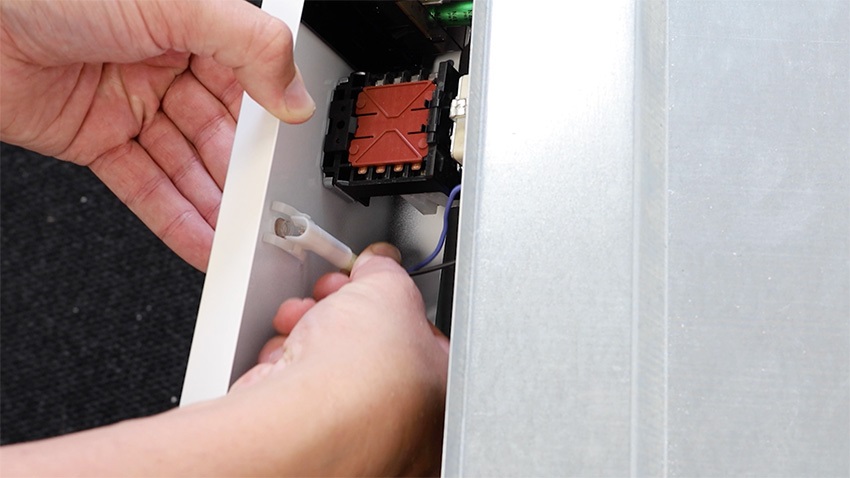
2. Remove wiring and existing neon light lamp lens cover
Identify which of your lamp lens clear cover needs replacing and with your front panel loose, disconnect the wiring from the faulty lamp lens cover by pulling it down. You’ll then be able to push the lamp lens cover through the front to remove it.
3. Install new neon light lamp lens cover
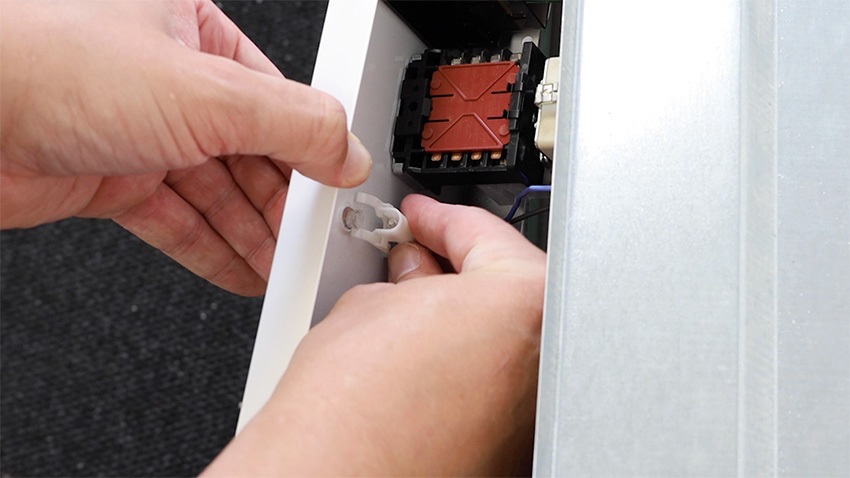
Ensure your new lamp lens cover is the correct way around before inserting it in the oven front panel. The swirl needs to be at the front and the hole needs to be at the back.
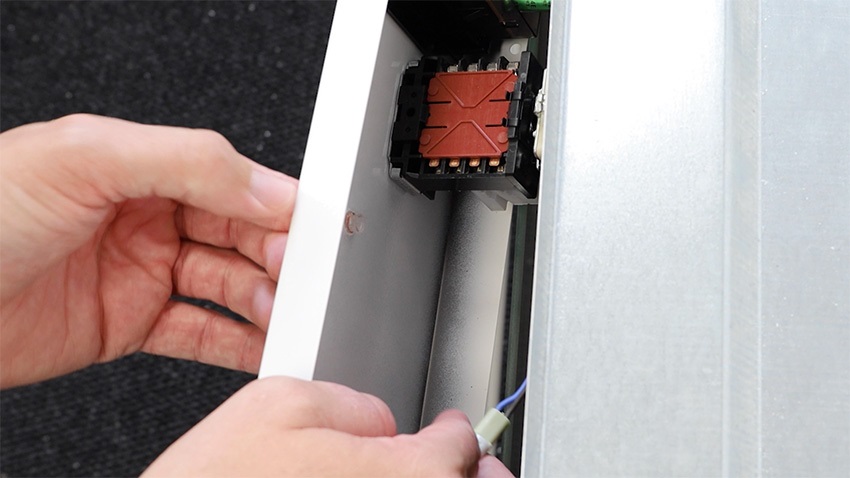
Then reconnect the wiring by pushing up. You’ll hear a click once it’s in correctly in place.
4. Re-screw screws
Then, re-screw the two screws on either side that connect the oven casing to the front panel.
And that’s it, your new lamp lens clear cover is all set to go.